ShetiBuddy · UX Case Study
Your smart farming companion.
A bilingual AgriTech mobile app for Maharashtra farmers — scan a sick crop, check today's mandi rates, and get weather-driven farm advice in local language and English.
My Role
Solo UX Designer
Tools
Figma · FigJam
Type
Concept Project
Duration
4 Weeks
01 — The Problem
Rural farming decisions still happen without data — or with data in the wrong language.
English-only apps
Existing agri apps assume English literacy and urban UX patterns — most Maharashtra farmers bounce within the first screen.
Opaque mandi prices
Farmers travel 40+ km to a mandi without knowing the day's rate or a better price at a nearby yard.
Late pest diagnosis
By the time a farmer visits Krishi Kendra, pink bollworm or leaf blight has already spread across 2–3 acres.
"Design for the field, not the desk. If it doesn't work in bright sun with muddy hands, it doesn't work."
02 — Who I designed for
Two farmers, one language contract
Ramesh Patil · 42
Cotton + Soybean farmer, Hatkanangale
"I need it in my language — I can't read English buttons."
Core Need
Reads local language comfortably, taps with sun-lit screen, needs one-thumb reach.
Sunita Kamble · 34
Grape + Onion smallholder, Sangli
"If I knew the market price first, I would earn five thousand more."
Core Need
Checks mandi rates 3× a day, wants alerts before hauling produce.
03 — Design targets
Measurable constraints, before pixels
48dp
Minimum touch target
2×
Bilingual copy per screen
≤3
Taps to diagnosis
AA+
Sunlight contrast
04 — Core flows
Two flows that carry 80% of usage
Flow
Scan a sick leaf
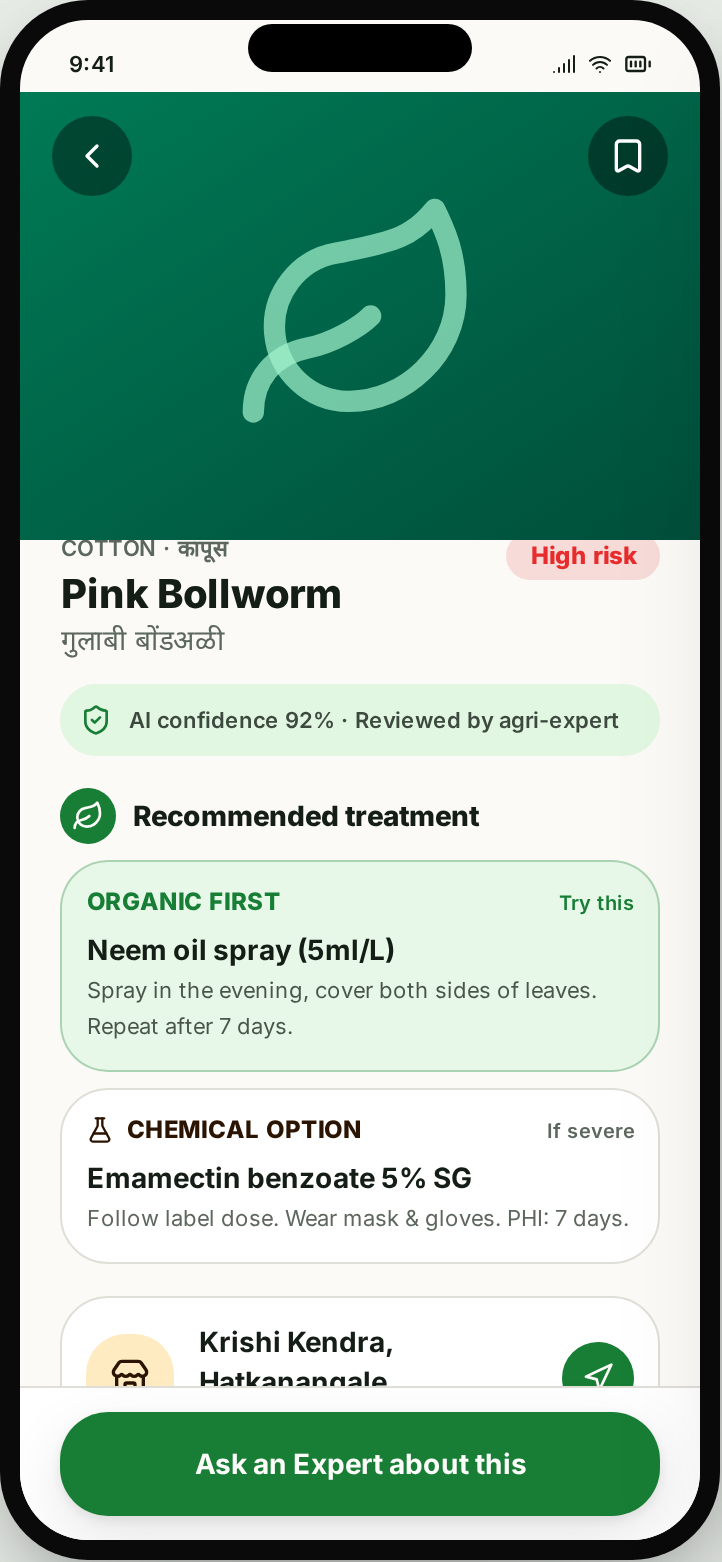
- 1Open Scan from bottom nav
- 2Hold camera over leaf
- 3See AI diagnosis + confidence
- 4Read organic + chemical treatment
- 5Locate nearest Krishi Kendra
Flow
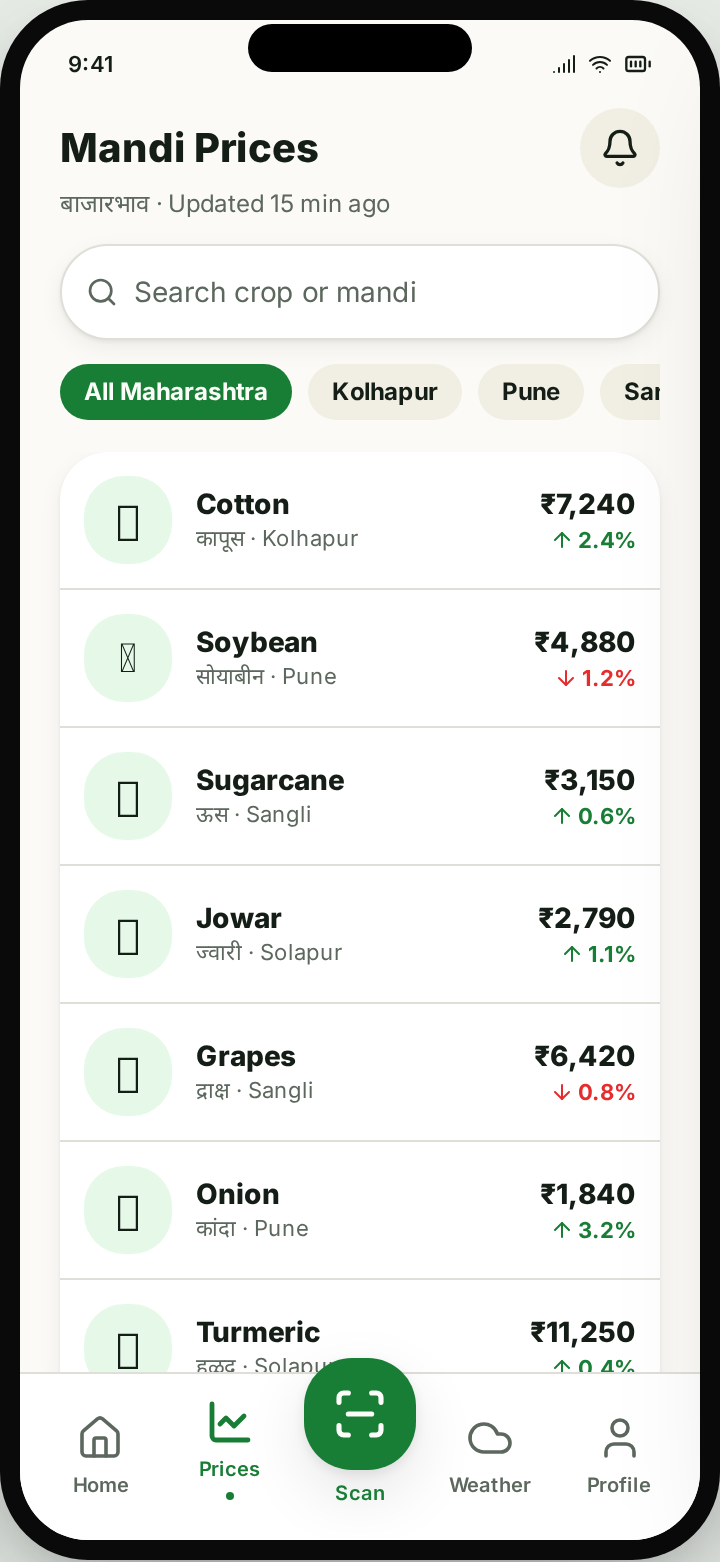
Check today's mandi rate
- 1Tap Prices tab
- 2Filter by district
- 3Open crop → compare nearby mandis
- 4Set price alert
Screens
12 screens · one bilingual system
01
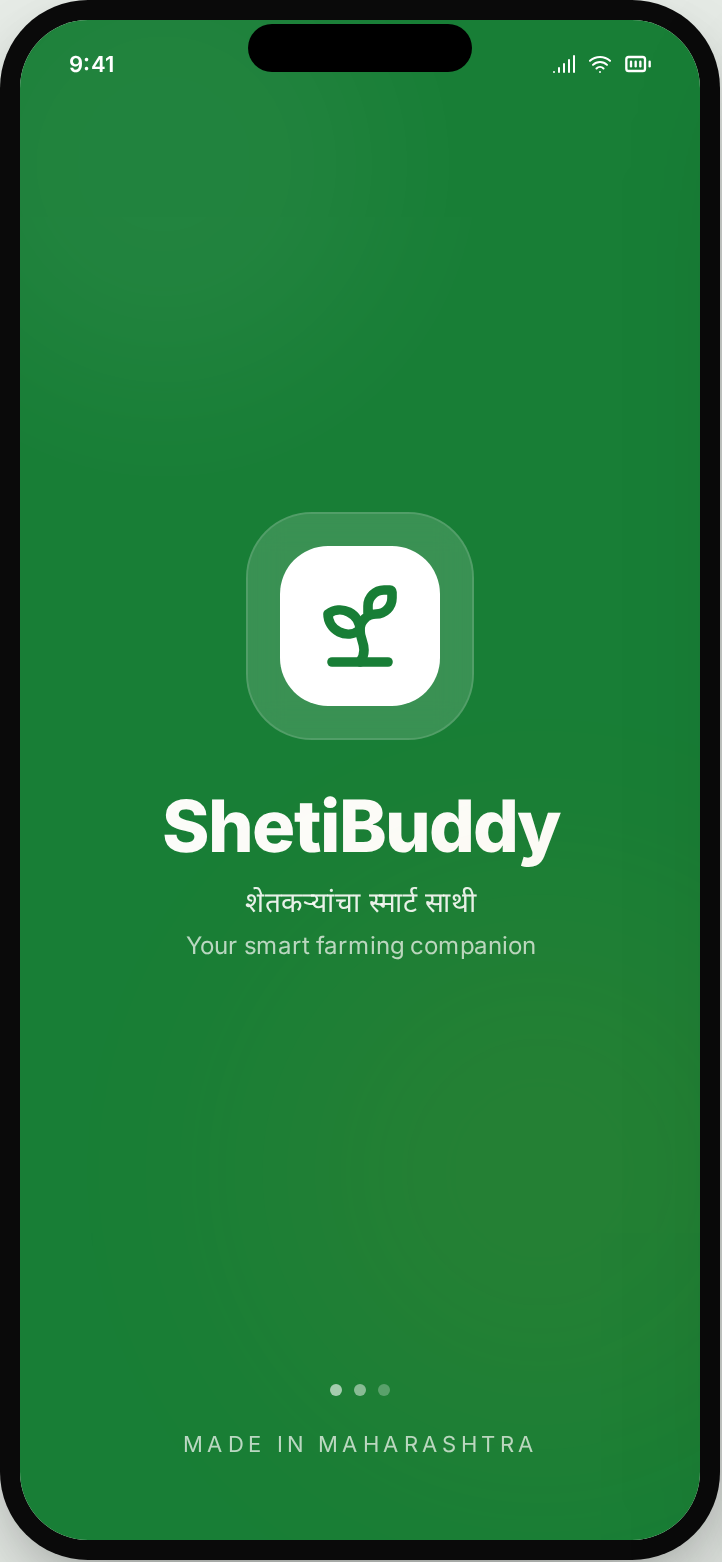
Splash
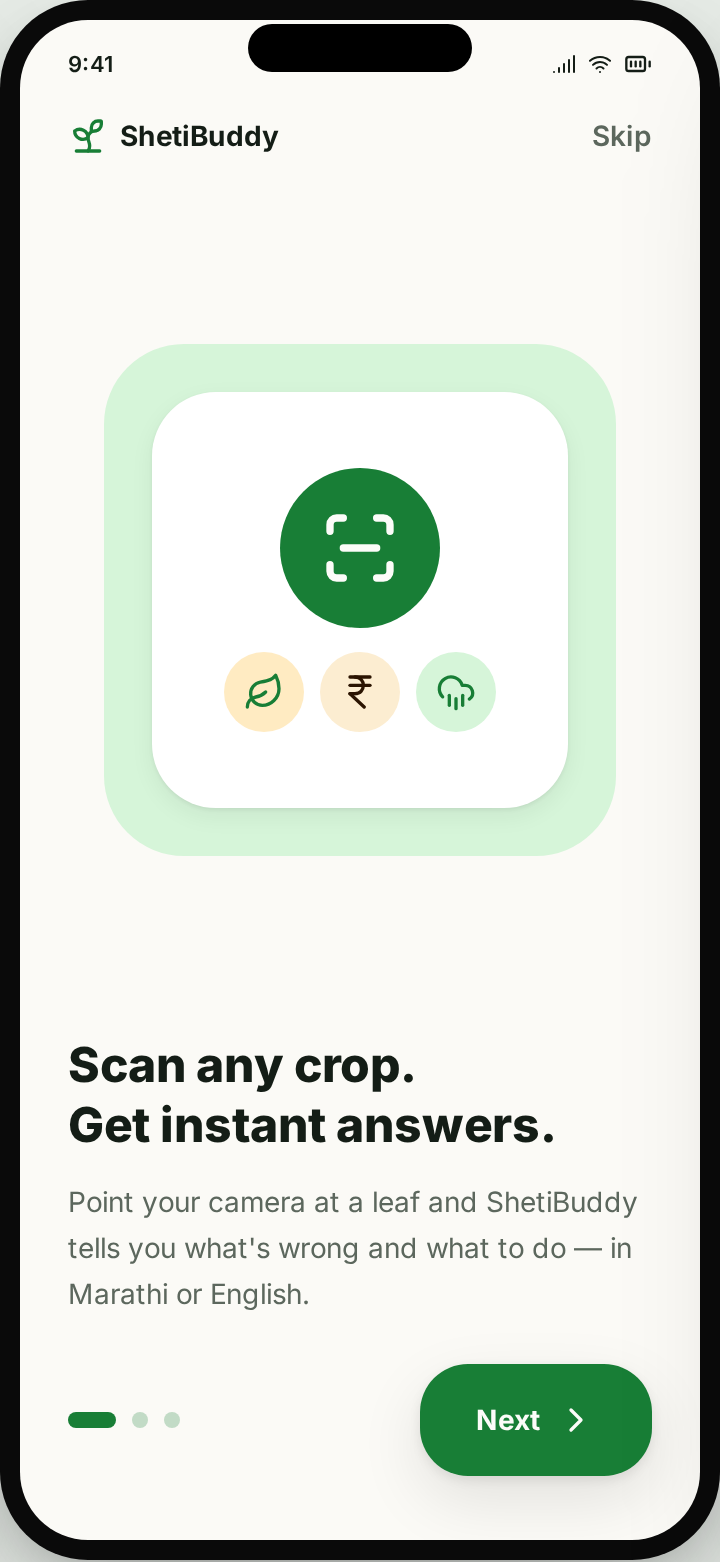
02
Onboarding
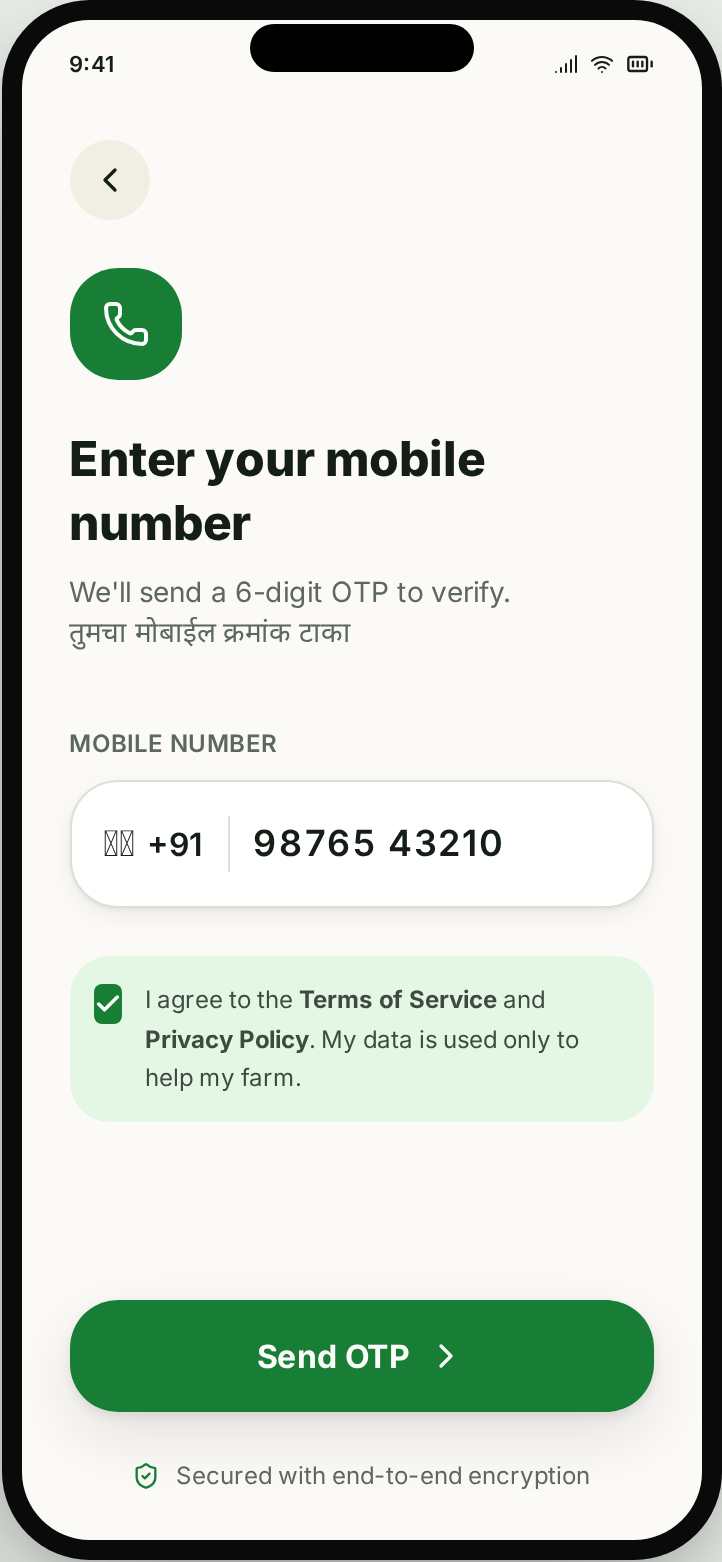
03
Mobile OTP
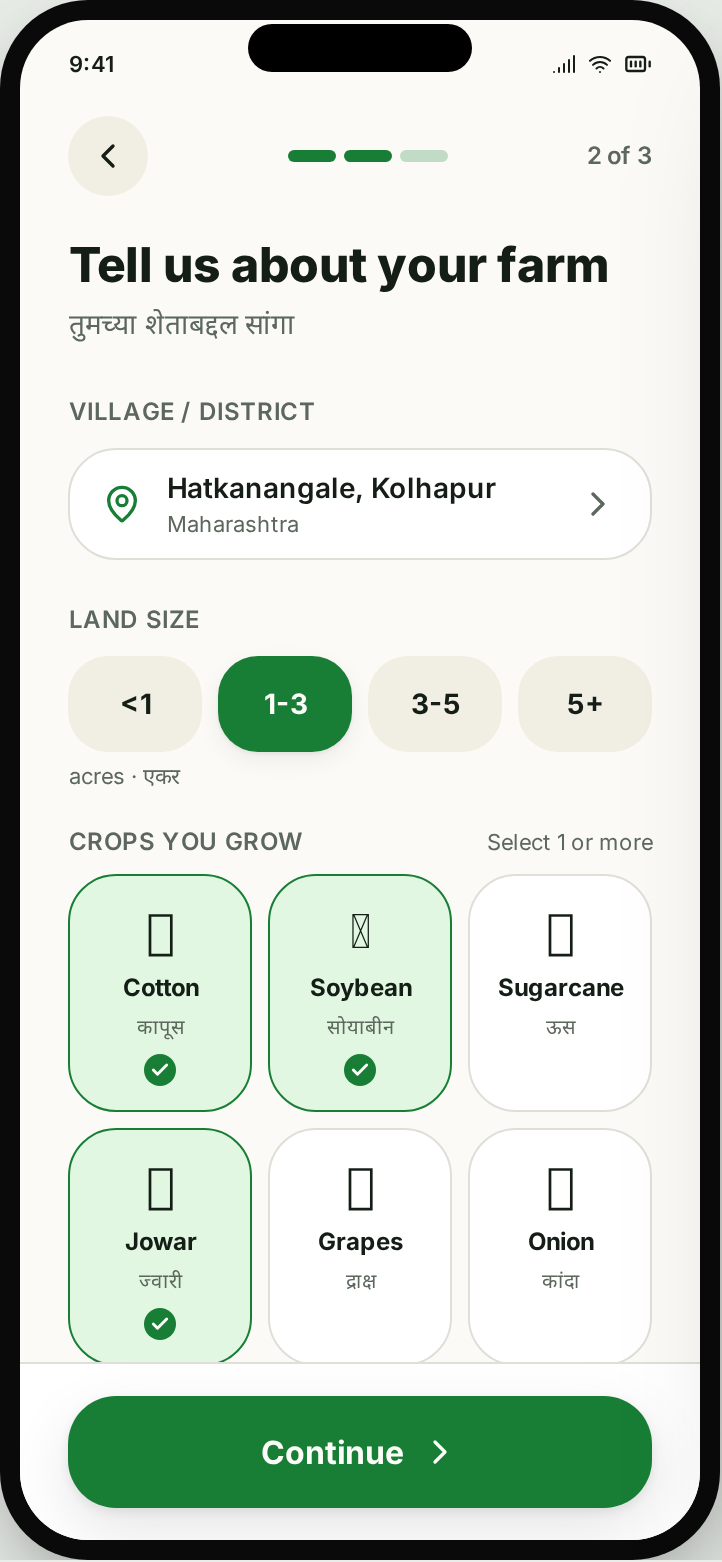
04
Farm profile
05
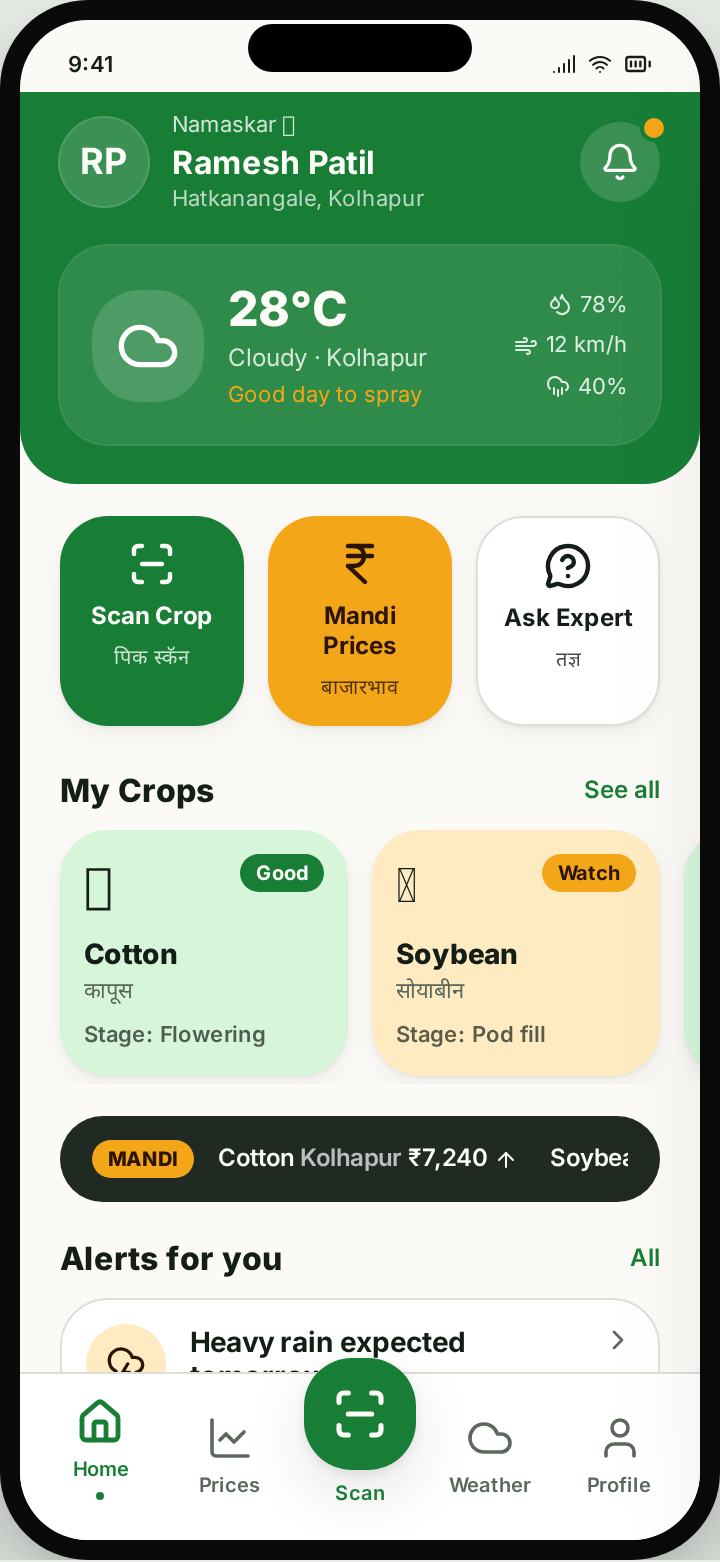
Home dashboard
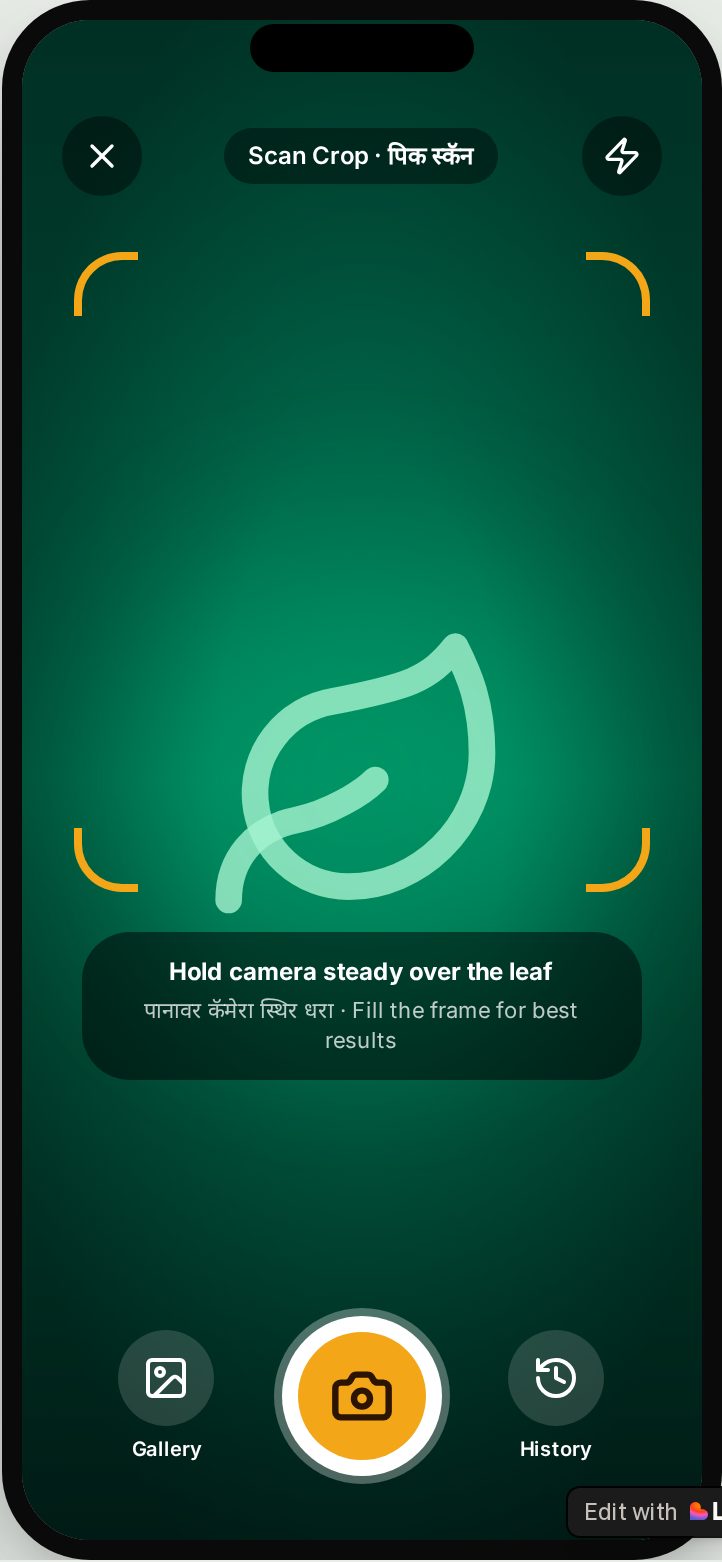
06
Scan crop
07
AI diagnosis
08
Mandi prices
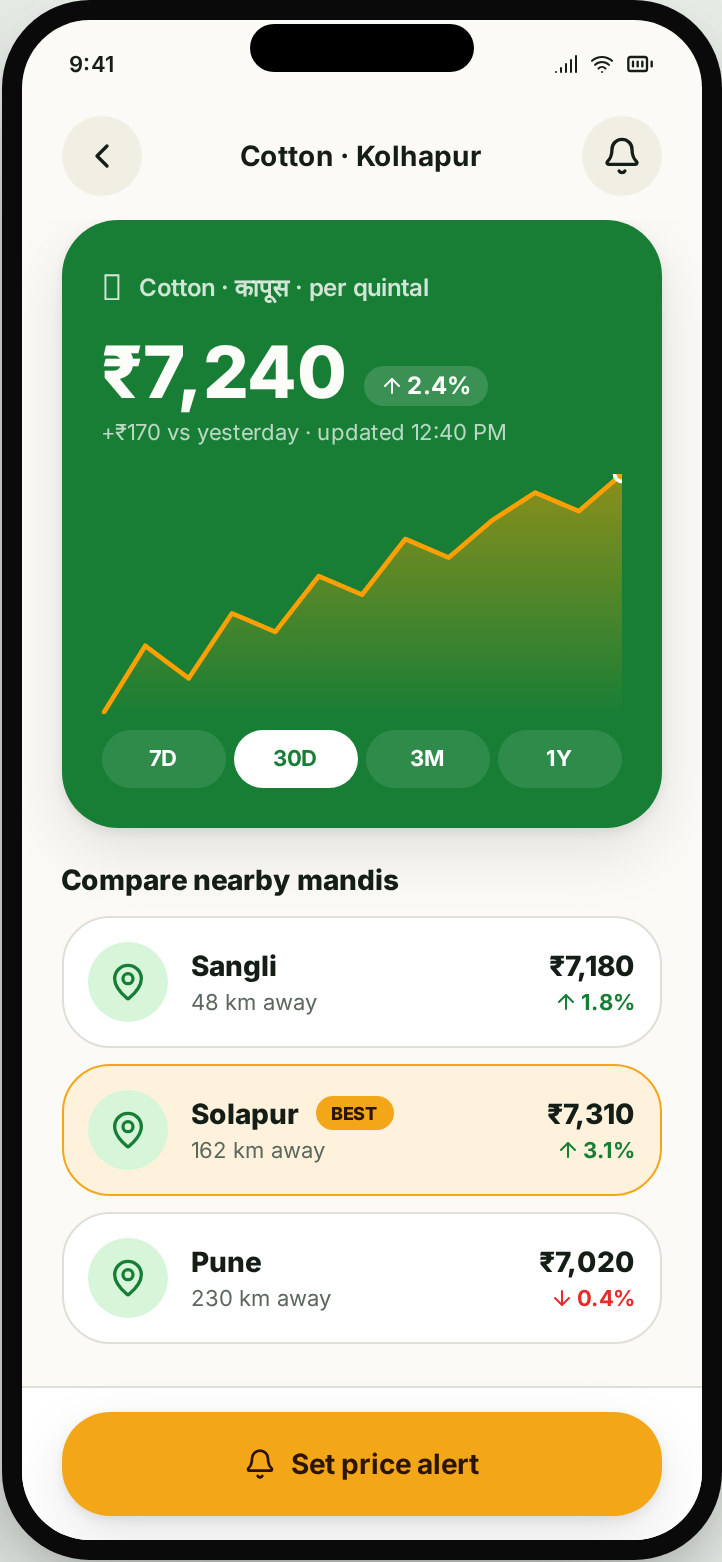
09
Price detail
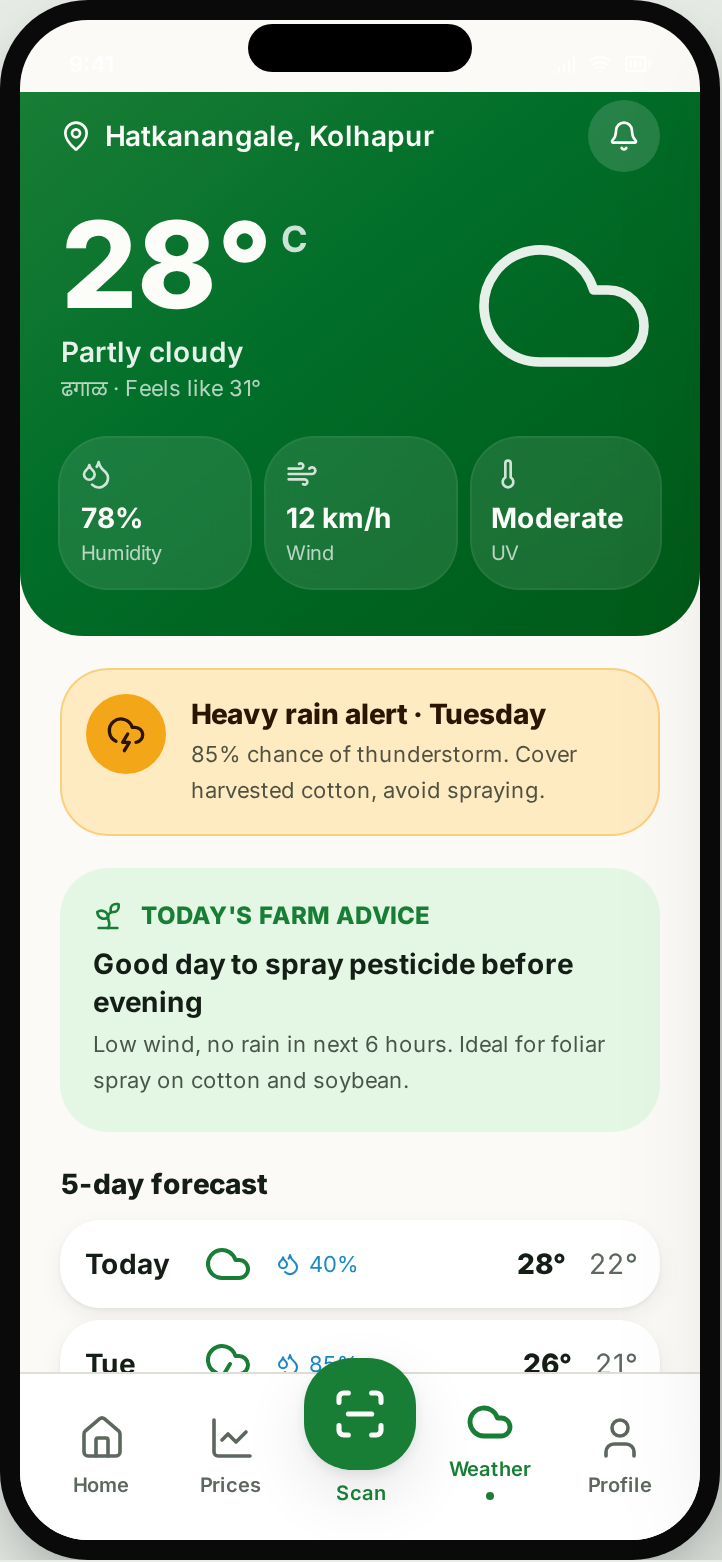
10
Weather
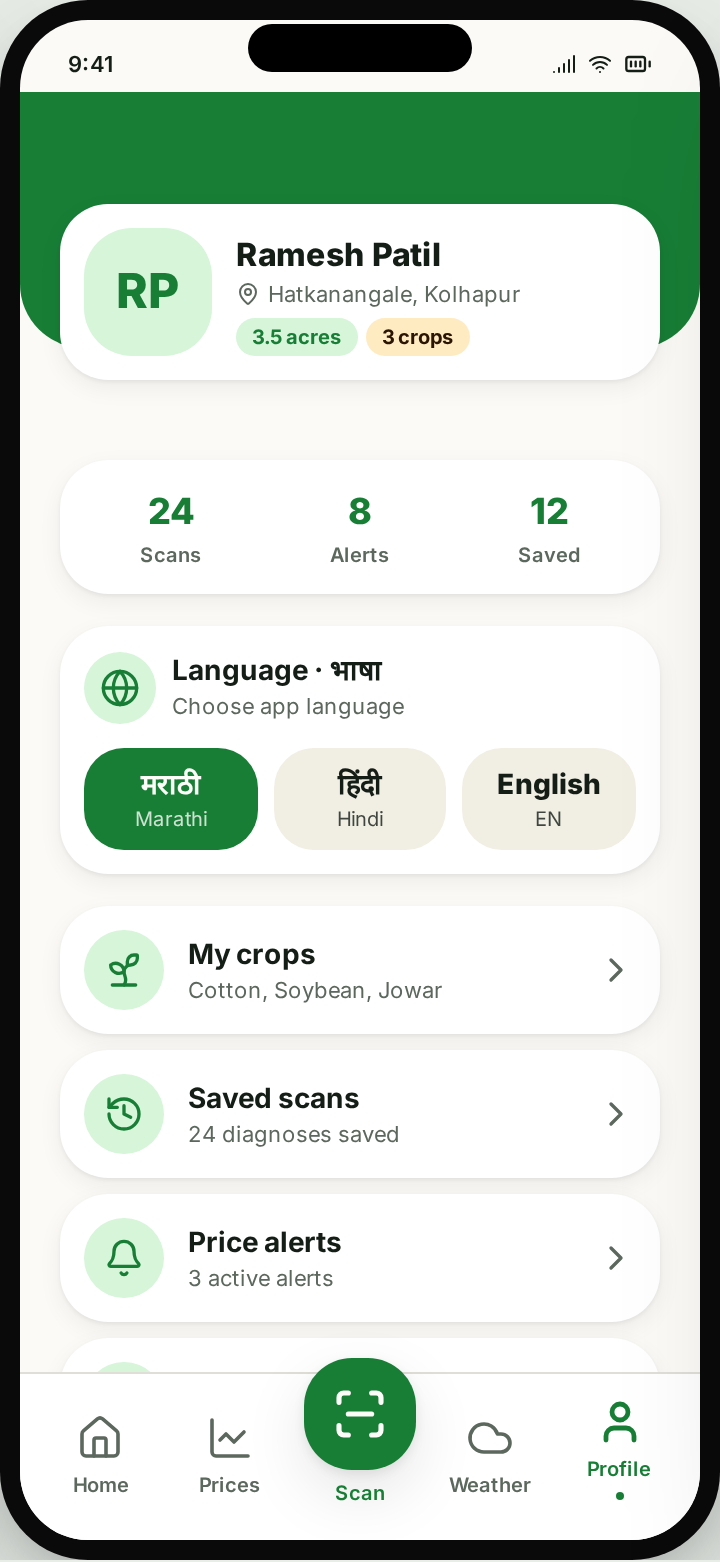
11
Profile
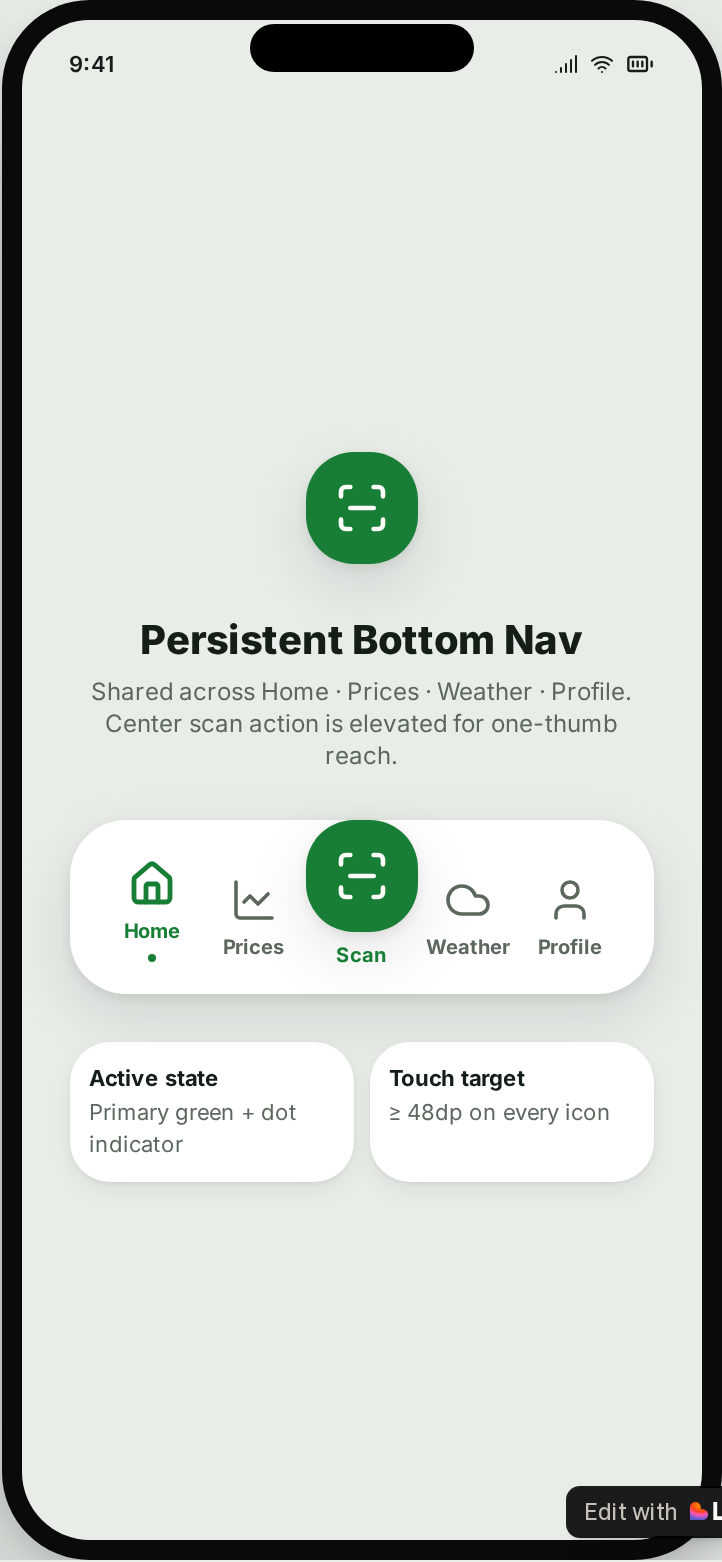
12
Bottom nav system
05 — Process
Field first, Figma second
Field interviews
6 farmers across Kolhapur & Sangli — recorded in local language, translated to insight cards.
Bilingual IA
Every label carries a local language + English pair; icons carry meaning when text is skimmed.
Warm design system
Earthy green primary, amber accent, cream surface — trust before flash.
Prototype + test
Clickable Figma tested with 4 farmers on their own devices, in bright outdoor light.
06 — Design System
Warm, trust-first, sun-legible
Color tokens
Primary · #2E7D32
Earthy green — trust, growth
Accent · #FFA000
Amber — alerts, CTAs
Surface · #FAF9F6
Cream — soft, readable outdoors
Typography
Display
Inter Bold — large headings, one thought per screen
Body
Inter 16px+ — sunlight-legible
Local Script
Noto Sans Devanagari — paired with every English label
07 — Design challenges
Where the interesting decisions lived
Bilingual without clutter
Balanced local language and English so neither felt secondary — sized by hierarchy, not by language.
Weather that farmers actually use
Not just forecast — 'Good day to spray' turns raw data into a farm decision.
Expert help without churn
Ask-an-Expert links directly from a diagnosis, carrying context so the farmer doesn't retype.
08 — What's next
Roadmap from concept to field pilot
Immediate
- Usability test with 8 farmers in Solapur (dry-belt crops)
- Ship local language TTS for the Scan result screen
- Add offline mode for mandi rates
Phase 2
- Voice-first navigation for low-literacy users
- WhatsApp share for diagnosis cards
- Local agri-input dealer directory
Scale
- Hindi + Kannada rollout
- Government scheme eligibility checker
- Aggregator/FPO dashboard for group buying